

Before you begin
Make sure you have a Suby account. If not, sign up here.Crypto only is open to everyone. Accepting all payment methods requires a quick verification before going live. Learn more about the review process.
Step 1: Choose your payment methods
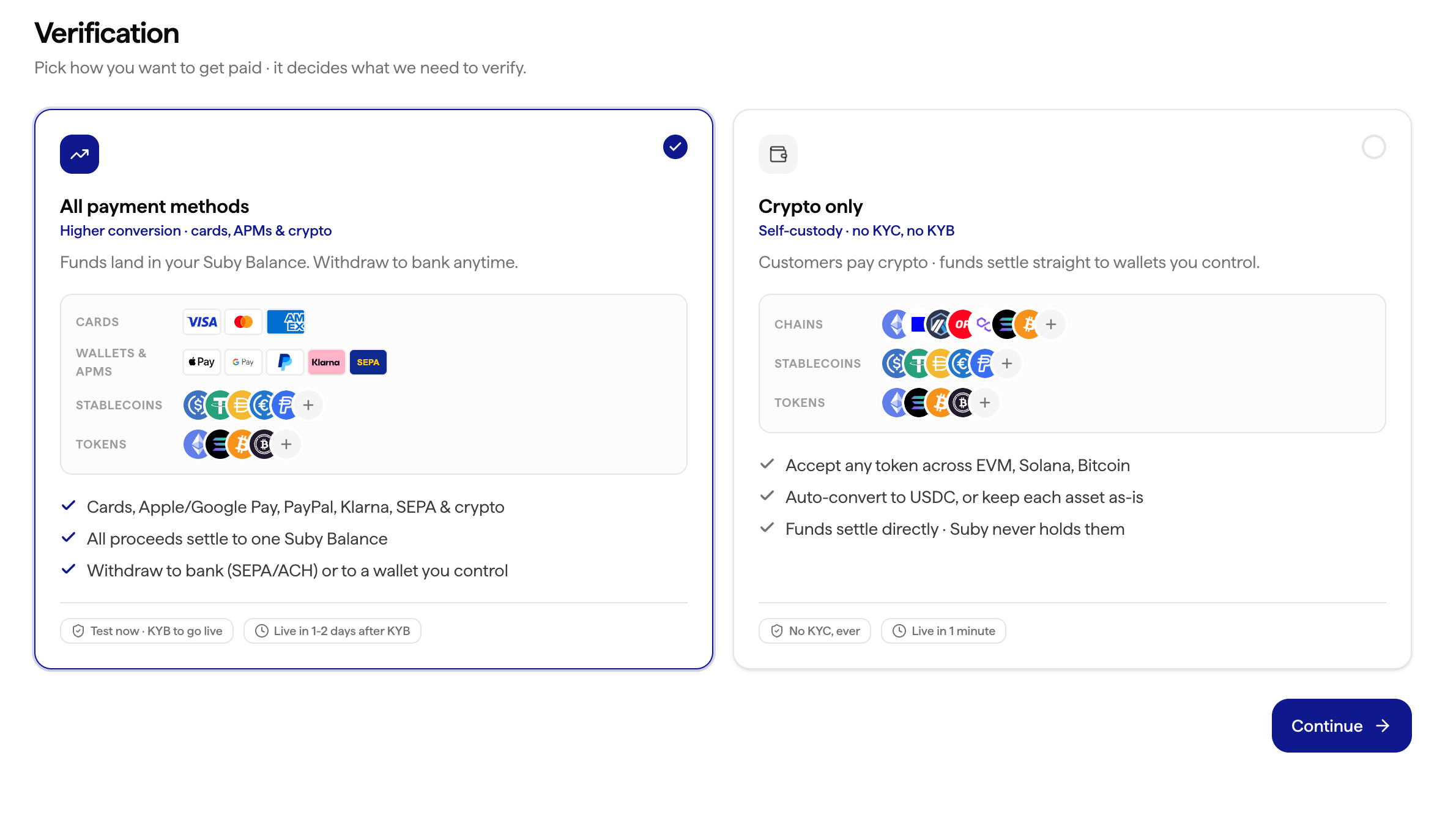
During onboarding, pick one of two setups.All payment methods
Cards (Visa, Mastercard, Amex…), local payment methods, and crypto, all in one checkout.Requires a KYC/KYB verification. Every payment, whatever the method, lands in a single unified USDC balance in your Suby account.
Crypto only
Accept USDC, USDT, ETH, SOL, BNB and more, worldwide. No KYC/KYB needed: go live in minutes.You then choose how you want to receive the funds (see below).
Crypto only: choose your settlement
If you go crypto only, pick what happens to each payment:Auto-convert to USDC
Every payment is converted to USDC and settled on the network of your choice: Polygon or Base. One asset, one chain, whatever your customers pay with.
Keep original assets
You receive exactly what the payer sent, on the chain they paid on: ETH stays ETH, SOL stays SOL.
Step 2: Create a product
Everything is configured in one place. From your dashboard, click Create product and set up:- Name: what you’re selling (e.g. “Pro Plan”, “Premium Community”, “Design Templates”)
- Billing type: one-time or recurring (e.g. monthly / yearly)
- Price: in USD or EUR
- Integration: how customers get access after paying (PayLink, API, Discord, or Telegram)
Step 3: Choose your integration
- PayLink
- API
- Discord
- Telegram
The fastest way to start and the best option for testing or accepting payments without writing any code. Generate a checkout link and share it anywhere: your website, a Discord message, an email, a bio link.Learn more about PayLinks
- From your product page, click Generate PayLink
- Copy the link
- Share it: your customers can pay immediately
PayLinks can be combined with the API for more complex flows: use PayLinks for quick sales and the API for subscription management or custom logic.
Step 4: Set up payouts
Before you can receive money, configure where you want to be paid.- Go to Settings → Payouts
- Choose your payout method: bank account, Venmo, PayPal, or stablecoins
- Enter your details and save
You’re live
Once you’re set up (and your verification is approved if you accept all payment methods), switch to live mode from Settings → General and start collecting payments.Explore the API
Endpoints, authentication, webhooks.
Discord integration
Gate access to roles and channels automatically.
Telegram integration
Unlock groups and channels on payment.
Contact the team
Reach us on WhatsApp, Telegram, Discord, or email, whatever works for you.