

How It Works
1
Create a code
Set up a discount code in your dashboard with a type, value, target products, and optional limits.
2
Share it
Send the code to customers via email, Discord, social media, or anywhere else.
3
Customer applies it
The customer enters the code at checkout.
4
Discount applied
Suby adjusts the amount charged automatically.
Creating a Discount Code
1
Go to Discounts
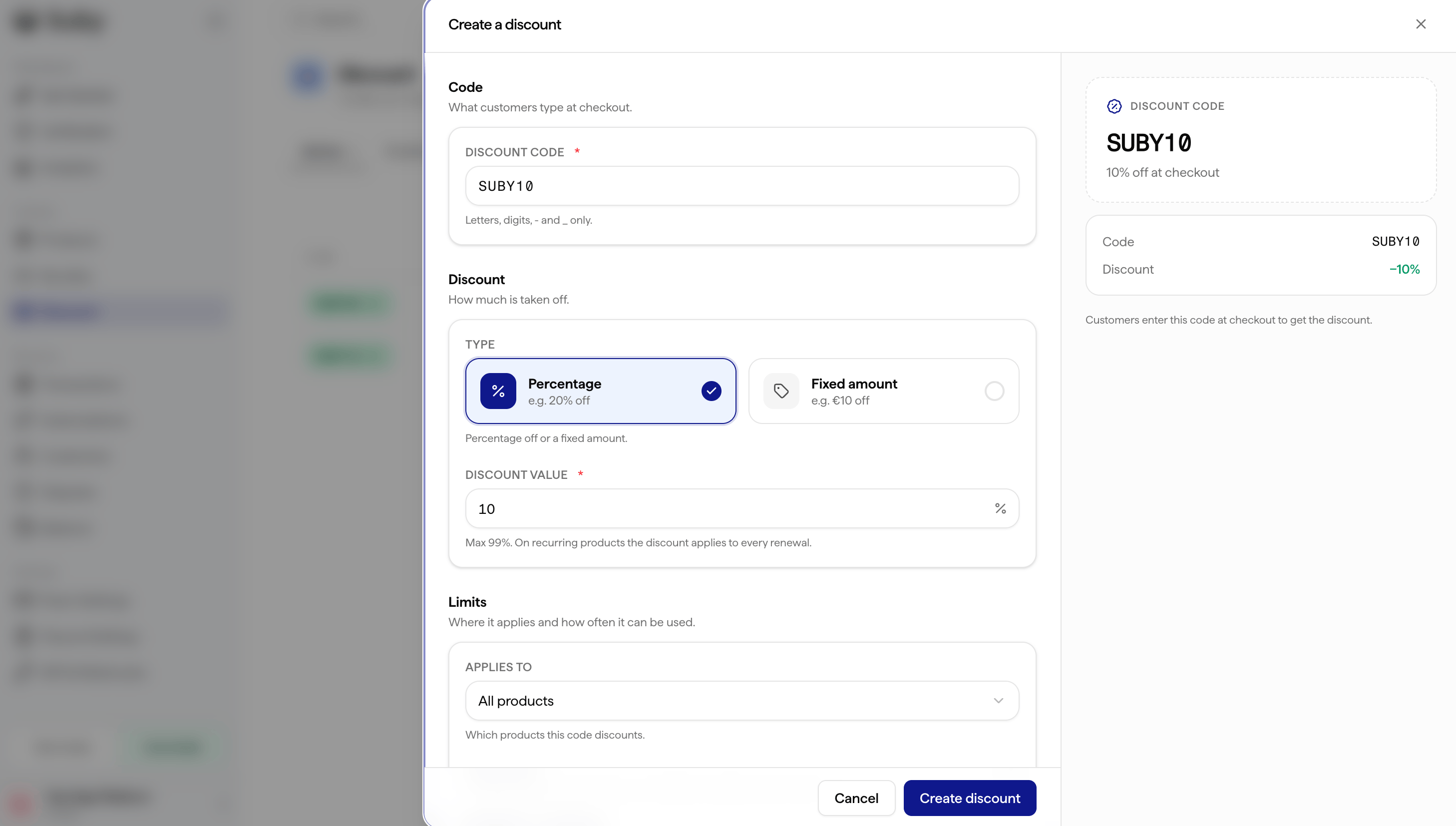
Navigate to **Catalog → Discount **in your dashboard and click New discount.
2
Set the code and discount
Set the code string (e.g.
LAUNCH50), and choose your discount type: percentage (e.g. 20% off) or fixed amount (e.g. $10 off).3
Choose which products it applies to
Apply the code to one product, several specific products, or all products.
4
Configure optional settings
- Usage limit: cap the total number of times the code can be used, across all customers, not per user.
- Pre-applied at checkout: automatically apply the discount without the customer having to enter the code.
- Expiry date: set a date after which the code stops working.
5
Save and share
Your code is active immediately.
Discount Types
Limitations
Discount codes apply to the checkout total after tax calculation. Codes are case-insensitive at checkout. A usage limit of 1 makes a code single-use, and that limit is shared across all customers, not reset per customer.
Via API
You can also create discount codes programmatically withPOST /api/discount/create — set a PERCENT or FIXED type, target "all" products or a specific list, and optionally cap usage (maxUses) or set an expiry (expiresAt).
Codes can be applied two ways:
- Customer enters it at checkout — the price adjusts automatically.
- Pre-applied by you — pass the code in the
discountCodefield onPOST /api/payment/createorPOST /api/subscription/create, and it’s applied to the checkout without the customer typing anything. It’s silently ignored if the code is invalid, expired, exhausted, or not attached to that product.
Per-account codes (externalRef)
Set externalRef when creating a code to bind it to a single account. It is then only accepted on a checkout created with the exact same externalRef, and refused everywhere else with DISCOUNT_CODE_EXTERNAL_REF_MISMATCH.
Use it for codes that must not be transferable between your users — prepaid credits, upgrade proration, one-off goodwill gestures. Matching is exact (no case folding, no trimming), and a checkout created without an externalRef can never redeem a bound code. Omit the field for a code any customer can use.