

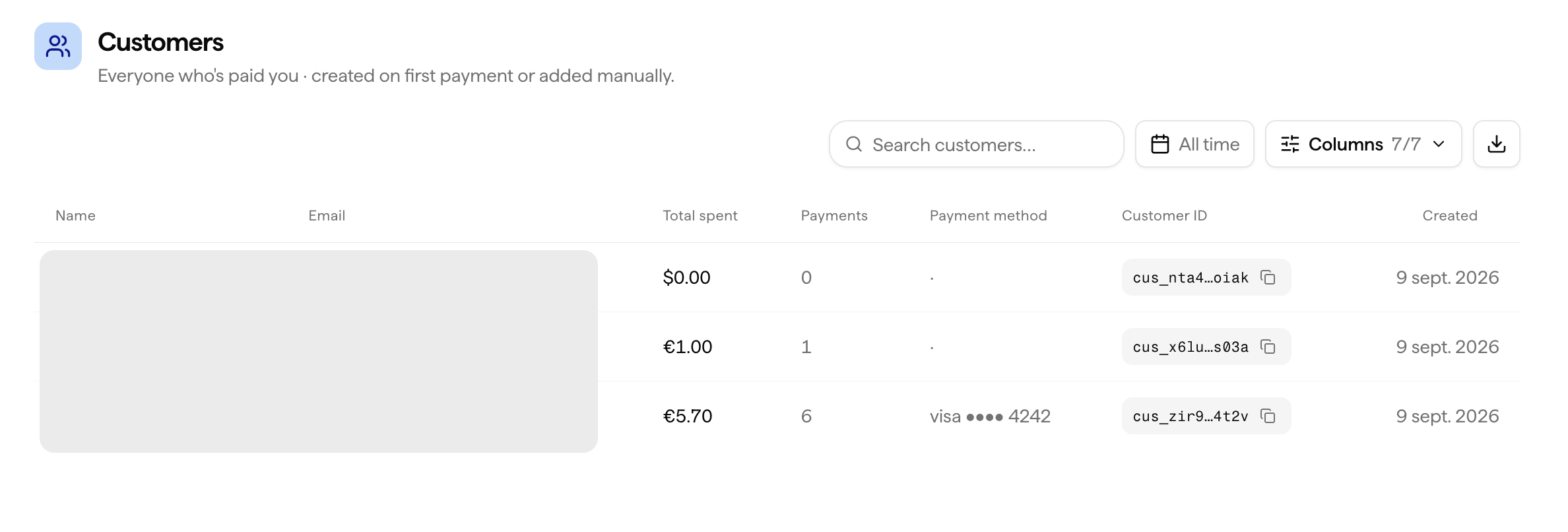
Customer Profile
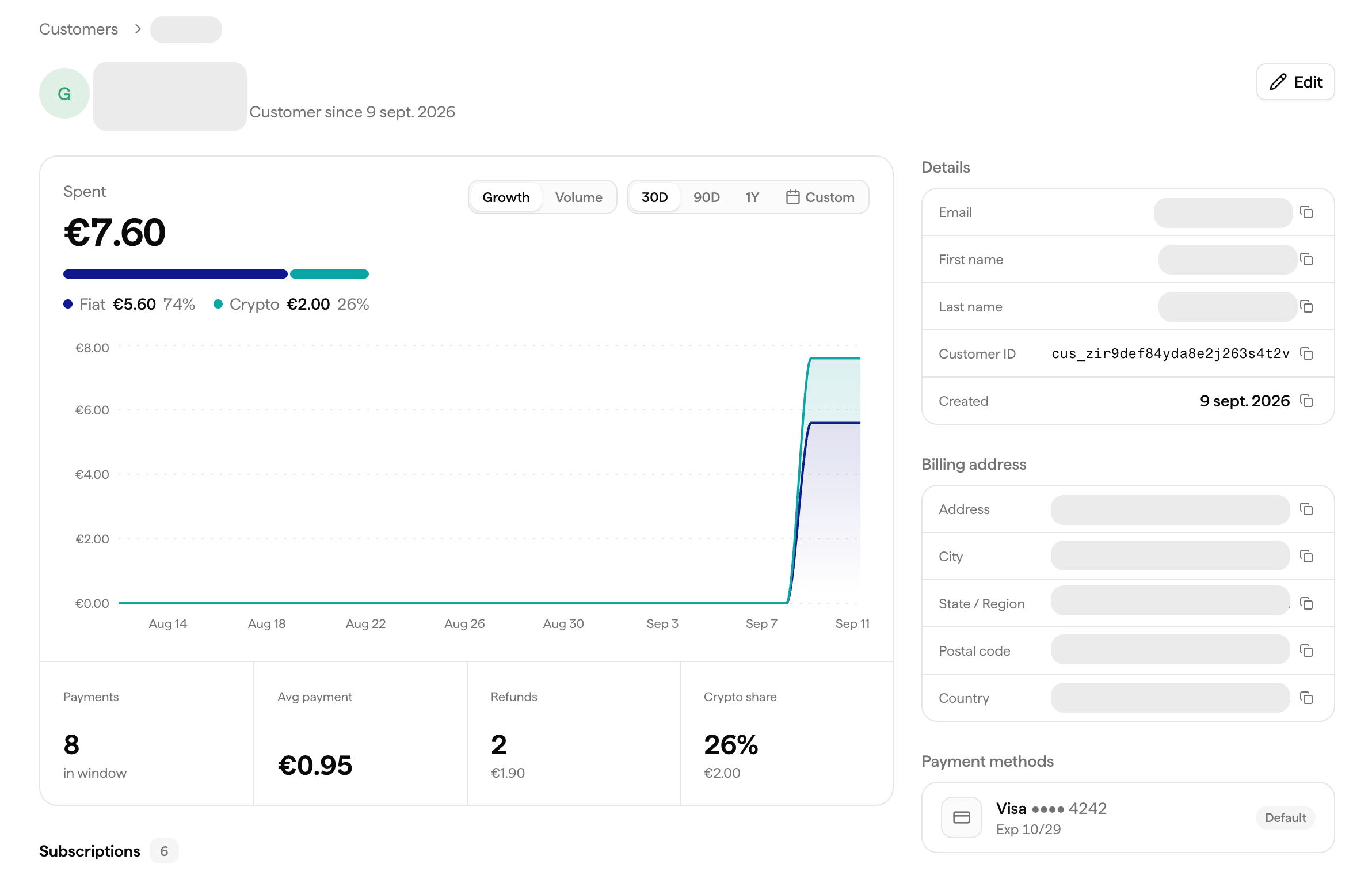
Just click on a customer to open their detailed profile, which includes:- Total revenue generated by that customer across all your products
- Full payment history, every transaction linked to that customer
- Active subscriptions, all current active subscriptions across any of your products
- Subscription status, active, cancelled, past due
- Payment method on file
- Customer-level analytics, spending trends and activity over time
What You Can Do
See the Full Picture
One click on a customer surfaces everything about them, revenue, subscriptions, payments, and analytics, no need to piece it together across pages.
View Payment History
See every payment the customer has made, with status, amount, date, and product.
Issue a Refund
Refund any successful transaction directly from the customer profile without navigating to the Transactions page.
Manage Subscriptions
A customer can have multiple active subscriptions simultaneously. Cancel any individual subscription without affecting their others.
Accessing Customers
1
Go to Customers
Navigate to Customers in your dashboard.
2
Search
Search by email or name.
3
Open profile
Click on a customer to open their detailed profile, with their revenue, subscriptions, payments, and analytics all in one view.
Via API
Full API Reference
Endpoints, parameters, and response objects for Customers.