

Throughout Analytics, data is always split between classic payments (card, Apple Pay, Google Pay, Klarna, bank transfer) and crypto payments, so you can see how each side of your business is performing.
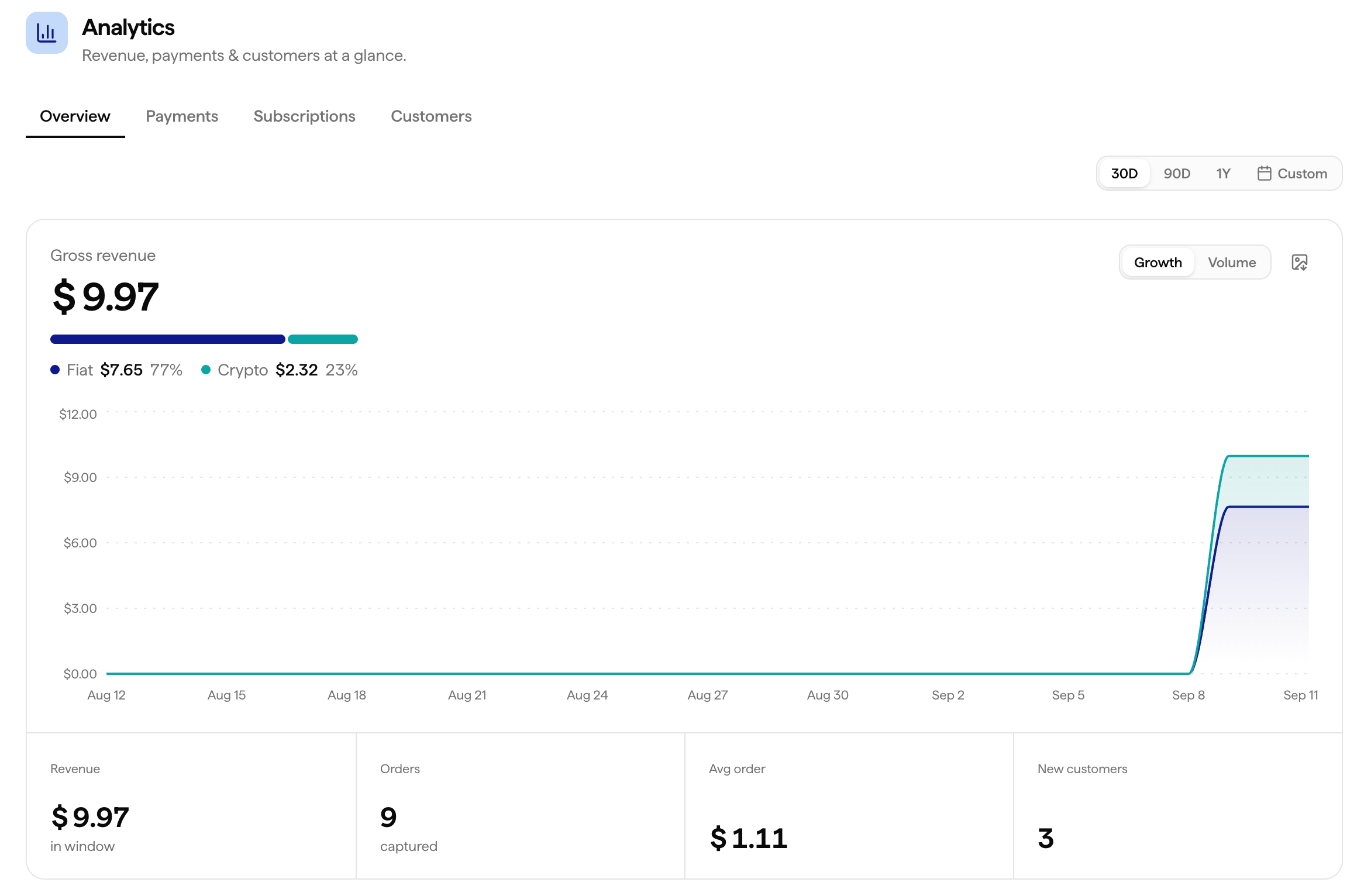
Overview
The Overview tab gives you a snapshot of revenue across different views and timeframes.Revenue Views
Switch between gross and net revenue (after fees and refunds), and view cumulative revenue over time.
Timeframes
1 month, 3 months, 1 year, or a custom date range.
By Product
Break revenue down by individual product, useful if you have multiple subscription tiers or a mix of one-time and recurring products.
By Customer
See revenue broken down per customer, to identify your top spenders.
By Country
See revenue broken down by country, and split your customer base by country to see where your business is growing.
Payments
A detailed, transaction-level view of how your payments are performing.Successful Payments
Total completed payments over your selected period.
Payment Attempts
Every attempt, successful or not, giving you the full funnel.
Conversion Rate
The share of payment attempts that end up successful.
Payment Method Breakdown
See which payment methods, card, Apple Pay, Google Pay, Klarna, crypto, your customers use most.
Declines & Decline Reasons
Track decline volume and drill into why payments are declined, insufficient funds, wrong PIN, 3DS not authorized, and other reasons.
Recent Transactions
A live feed of your most recent transactions, right from the Analytics view.
Subscriptions
Track recurring revenue and see exactly what’s coming up.Subscription Volume
Track the number of active subscriptions over time.
Subscription Calendar
See exactly who’s getting charged and when, upcoming subscription payments laid out on a calendar. Cancel any subscription directly from the calendar view.
Churn
Track how many subscriptions are cancelled or lapse over your selected period.
Customers
By Country
See where your customers are located.
By Type
Split your customers between subscription customers and one-time purchasers.