

How It Works
When a customer completes a one-time checkout, Suby:1
Processes the payment
The payment is collected across the customer’s chosen method, card, bank, Apple Pay, Google Pay, or stablecoin.
2
Calculates taxes
Applicable taxes are calculated and collected automatically based on the customer’s location.
3
Delivers access
Access is granted based on your configured integration, PayLink, API, Discord, or Telegram.
4
Fires a webhook
A
payment.succeeded event is sent to your server if you have a webhook configured.Use Cases
Digital Products
Templates, ebooks, files, and downloadable assets.
Service Packages
One-time service engagements or client deliverables.
Lifetime Access
Tools, communities, or platforms with a one-time entry fee.
Agency Invoices
Client payments for project-based work.
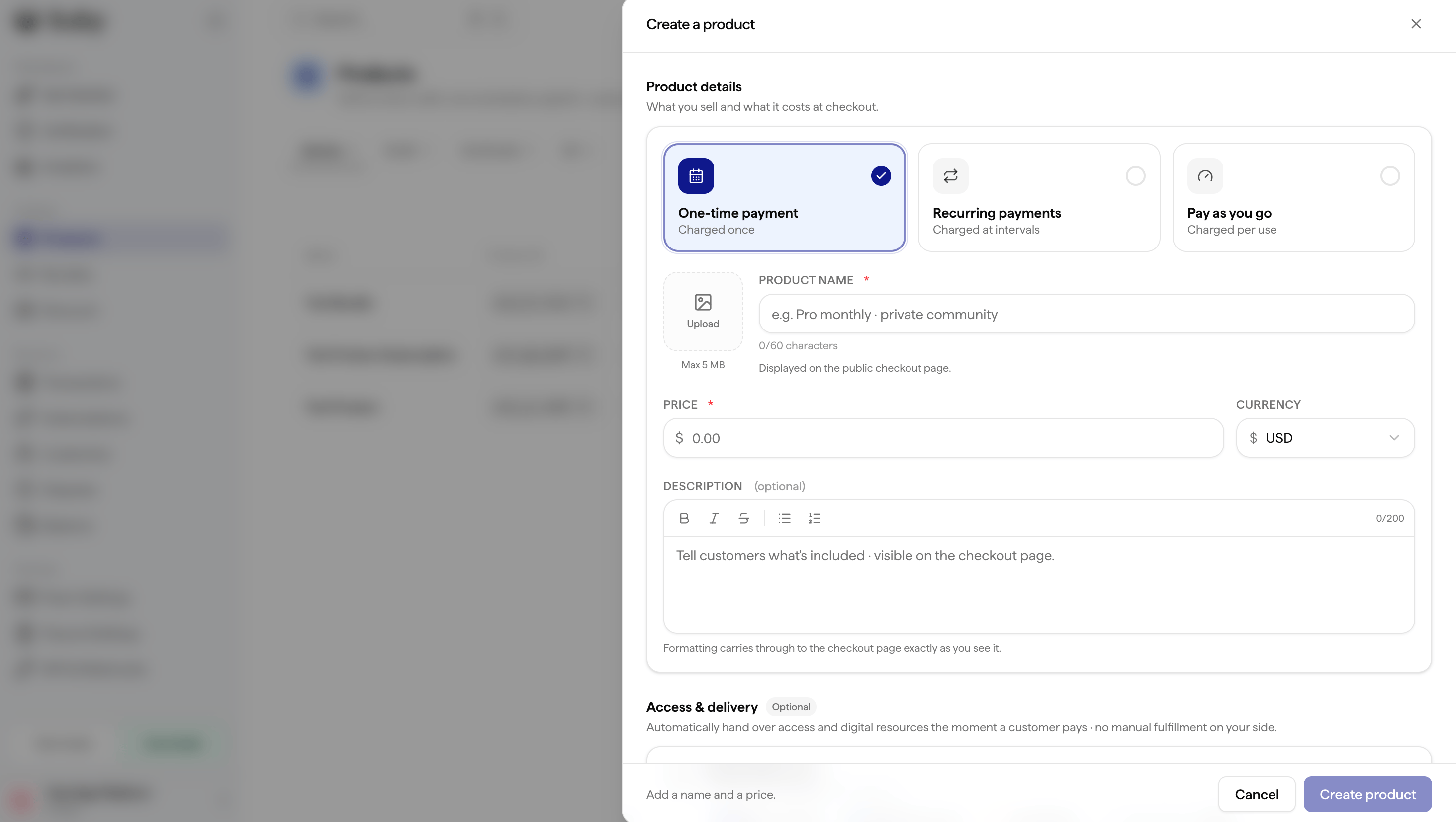
Setting Up a One-time Payment
1
Go to Catalog
In your dashboard, navigate to Catalog, then Product, and click New product.
2
Fill in the basics
Enter your product name, image, description, price, and currency.
3
Set access delivery (optional)
Choose how access is delivered once payment is completed: Discord, Telegram, digital files, license key, or external link.
4
Configure additional options (optional)
- Apply a discount code
- Choose which payment methods are available for this specific product
- Add custom fields to collect information from the customer at checkout
- Set a success URL and cancel URL to redirect the customer after checkout
5
Save and share
Your checkout is live instantly.
Selling several units
Every product’s price is the price of one unit, so a customer can buy more than one · three pairs of glasses, five licences. Set the quantity when you create the checkout session (quantity on POST /v3/checkout/sessions): the page shows it and charges the price × the quantity, and the receipt lists it.
To let the customer pick it themselves on the checkout page, turn on Customers choose the quantity on the product (adjustableQuantity: true) and set the minimum and maximum. Off, which is the default, the page shows your quantity fixed.
A license key delivered by the product carries its activation limit per unit: three licences bought in one checkout give one key that can run on three times as many machines.
Via API
Full API Reference
Endpoints, parameters, and response objects for Checkout Sessions.